Free online tools for getting things done.
Compress files, edit PDFs, work with images, calculate anything, build with code, and improve your website, 235+ tools, all in one place.
No signup, no watermark, and files are processed right in your browser.
Most tools process your files right in your browser.
Tools People Keep Coming Back To.
The tools people open most often on ToolNova. Most run entirely in your browser, with no sign-up.
Go ad-free. Get 10x more AI runs.
ToolNova Pro removes every ad and raises AI tool limits from 5 to 50 runs a day. $5 a month, cancel anytime. Every free tool stays free.
Pay once. Own it.
Focused Windows apps from ToolNova: one-time license, no account, runs on your PC.
Start with the job, not the tool.
Browse by what you're trying to get done. Each group opens the full set of tools for that job, 235+ in all.
What is ToolNova?
ToolNova is a free, ad-supported website with 235 online tools for images, PDFs, text, code, SEO, finance, calculators, and device testing. The image, PDF, text, calculator, and developer tools run entirely in your web browser, using client-side libraries such as PDF-lib, PDF.js, and WebAssembly, so your files are processed on your own device and never uploaded. A small set of tools genuinely need a server: the AI writing tools, live crypto and currency prices, and checkers that fetch a URL for you. Each of those says so on its page, and what you send isn't stored. There's no account to create, nothing to install, no watermark on exports, and no file-size quota beyond your own device's memory. ToolNova is designed, built, and maintained by Shehzad Munir, an independent full-stack developer.
Why People Use ToolNova
Finish Jobs in Seconds
Convert PDFs, images, and documents in seconds, even on a slow connection. You get results instantly instead of waiting in a queue.
Your Files Stay in the Browser
Most tools run entirely on your device, so your files never leave it. If a tool needs the server, we say so on the page and delete the file after processing.
Clear Steps Every Time
Follow simple screens that walk you through each task. Convert a PDF or edit an image without special skills or complicated settings.
Skip Mandatory Sign-Up
Open a tool and start working right away. No account, no install, nothing standing between you and the result you came for.
Export Without Watermarks
Every tool on toolnova.org is free and exports clean files. We never stamp watermarks or put a site tool behind a paywall.
Documents and Images in One Place
Convert, merge, compress, edit, and calculate without jumping between websites. Keep your everyday tools in one free workspace.
ToolNova is designed, built, and maintained by Shehzad Munir, a full-stack developer. Each tool is hand-built and tested before it goes live, and bug reports go straight to the person who wrote the code. Founder profile · About ToolNova
Frequently Asked Questions
We build free online tools that protect your privacy, finish jobs fast, and stay effortless to use.
For most tools, yes. Image, PDF, text, calculator, and developer tools run entirely in your browser, so your files never leave your device. A few tools need a server to work, such as the AI tools, live-price and API lookups, and tools that fetch a URL for you. Those tools say so on the page, and we don't keep what you send them.
ToolNova is paid for by advertising, which covers hosting and development. Because most tools run on your own device, running costs stay low enough to keep every tool on the site free, with no sign-up and no watermarks.
No. Every tool runs in a modern browser (Chrome, Firefox, Safari, or Edge) on desktop or mobile, with no extensions or software downloads.
The practical limit is your own machine's memory, not a server quota. Large video and PDF jobs run fine on desktop; very large files on older phones may be slow.
“Amazing”
Latest insights.
 Tool Guides
How to Remove EXIF Metadata From Your Photos
Photos carry hidden data like GPS location and camera details. Here's why that matters for privacy and how to strip it before sharing.
 Tool Guides
What Is CPS? How to Test and Improve Your Click Speed
CPS means clicks per second. Here's how it's measured, what a good score looks like, and how to test your own click speed for free.
 Tool Guides
How to Merge PDF Files for Free (Without Uploading Them)
Combine several PDFs into one document, reorder the pages, and keep everything private — no software and no server upload.
 Tool Guides
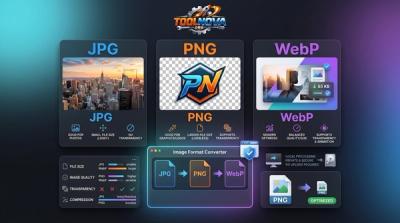
How to Convert JPG to PNG (and PNG to JPG)
When to use JPG vs PNG, and how to convert between them — plus WebP — for free in your browser without losing transparency.
Open a tool. Nothing leaves your machine.
No sign-up, no install, no watermark.