Gym Management — Offline Front-Desk & Fitness Operations Guide

Built for the Front Desk, Free from the Cloud
Most modern gym management platforms rely on persistent cloud databases, mandatory subscription tiers, and uninterrupted Wi-Fi. Gym Management takes the opposite bet: your facility’s operational data belongs on your own hardware, and the front desk should keep processing member check-ins and counter sales whether or not the connection is live. Here is a tour of what’s inside.
Works 100% Offline
- Digital Gate Attendance & Check-In
- Membership Plans & Automated Expiry Alerts
- Counter POS & Inventory Control
- Financial Ledgers & Payment Receipts
- Local Tamper-Evident Audit Logs
Feature Tour & System Overview
Dashboard
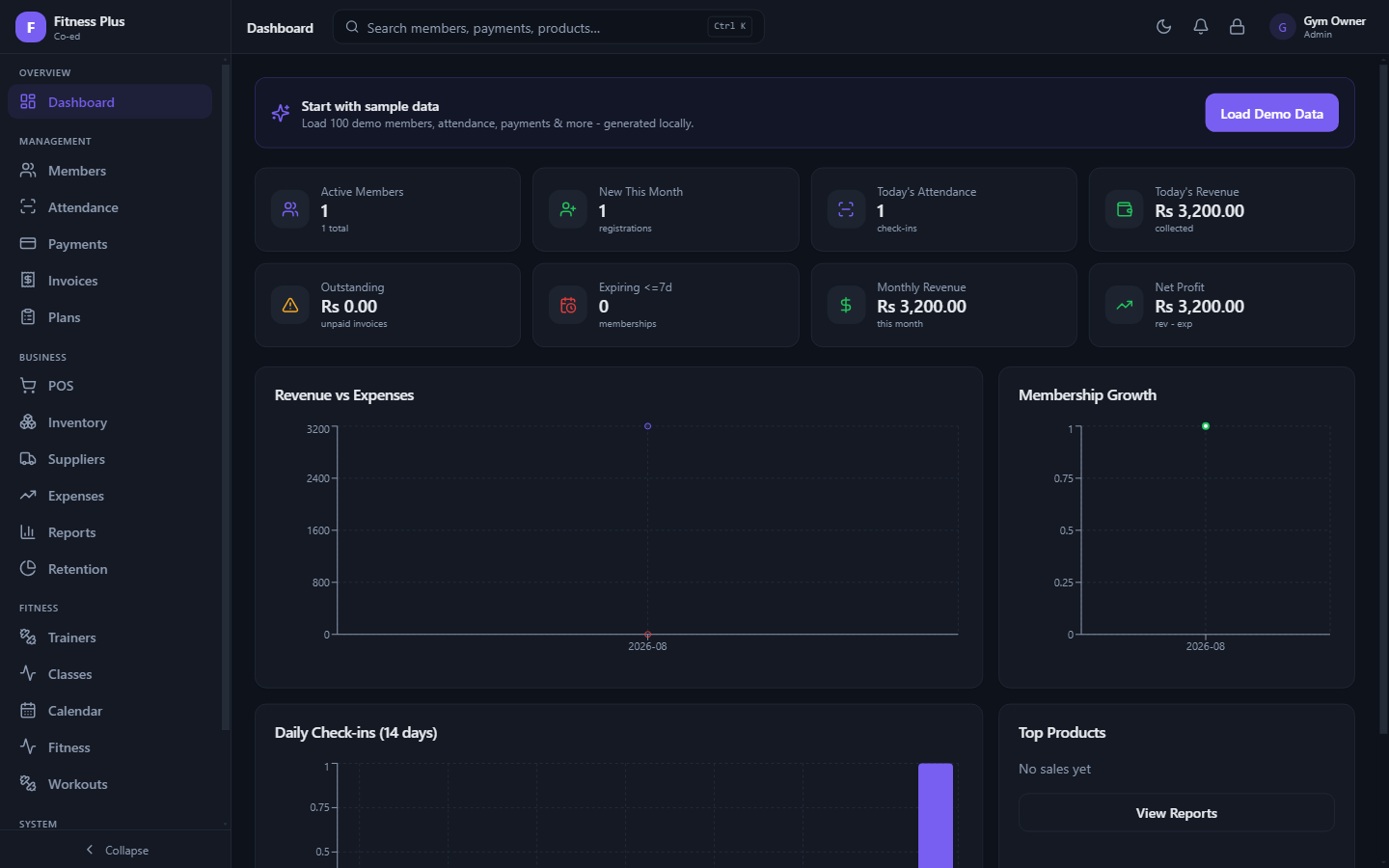
The moment you sign in, the Dashboard answers the core operational questions for the day. Live tiles and 30-day performance charts display total member counts, today’s check-ins, total revenue, and expiring memberships. Everything computes locally, loading instantly with zero cloud latency.
Membership Plans
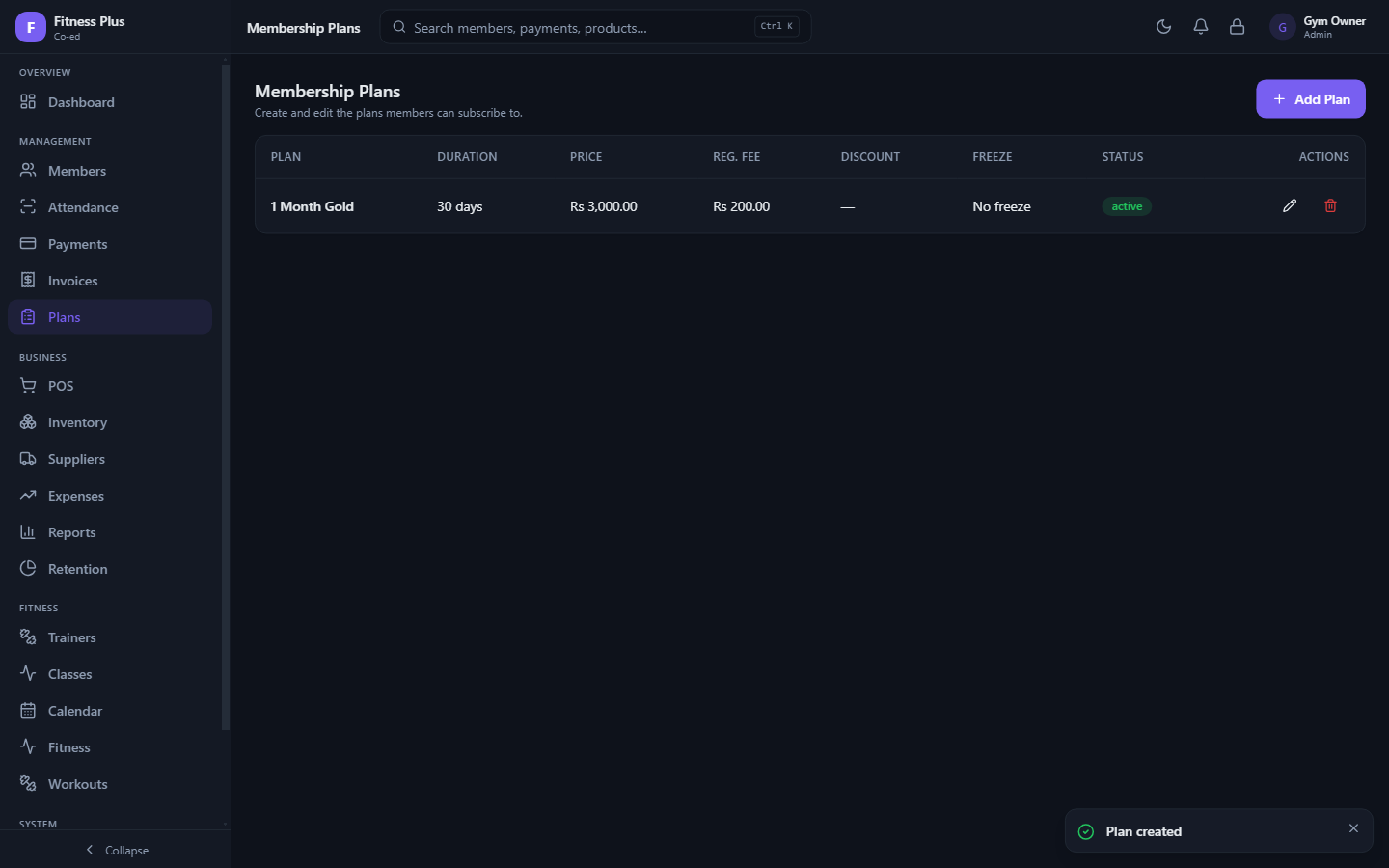
Define and manage the core offerings of your gym (monthly, quarterly, yearly, or custom durations). Configure base prices, registration fees, promotional discounts, and allowed freeze periods. Once created, plans are instantly ready to assign during member enrollment.
Member Directory
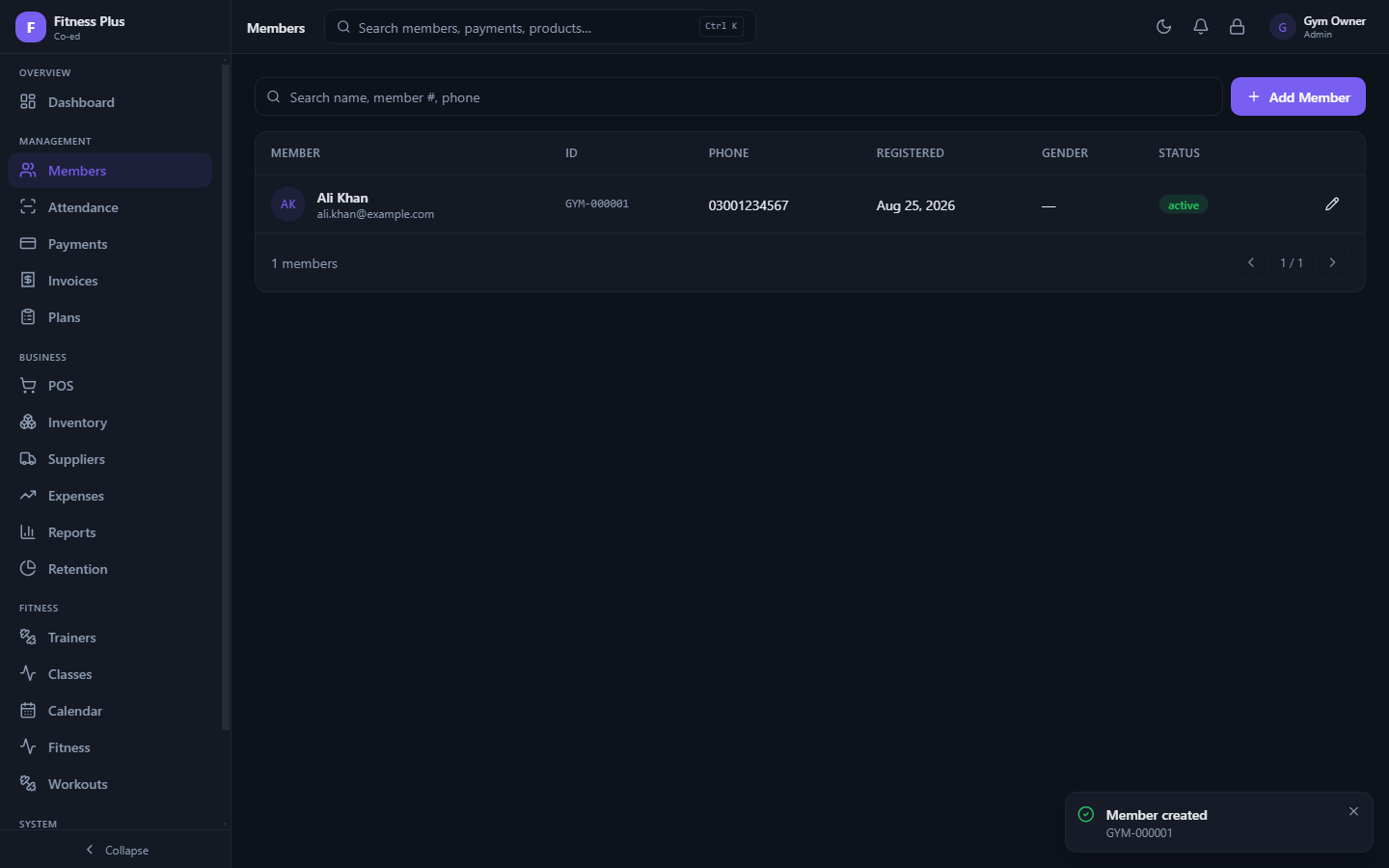
A clean, searchable directory complete with status badges, filters, and pagination. Adding a member generates an automatic, local Member ID. View complete profile histories, contact information, active plan statuses, and assigned trainers from a central list.
Attendance & Digital Gate Check-In
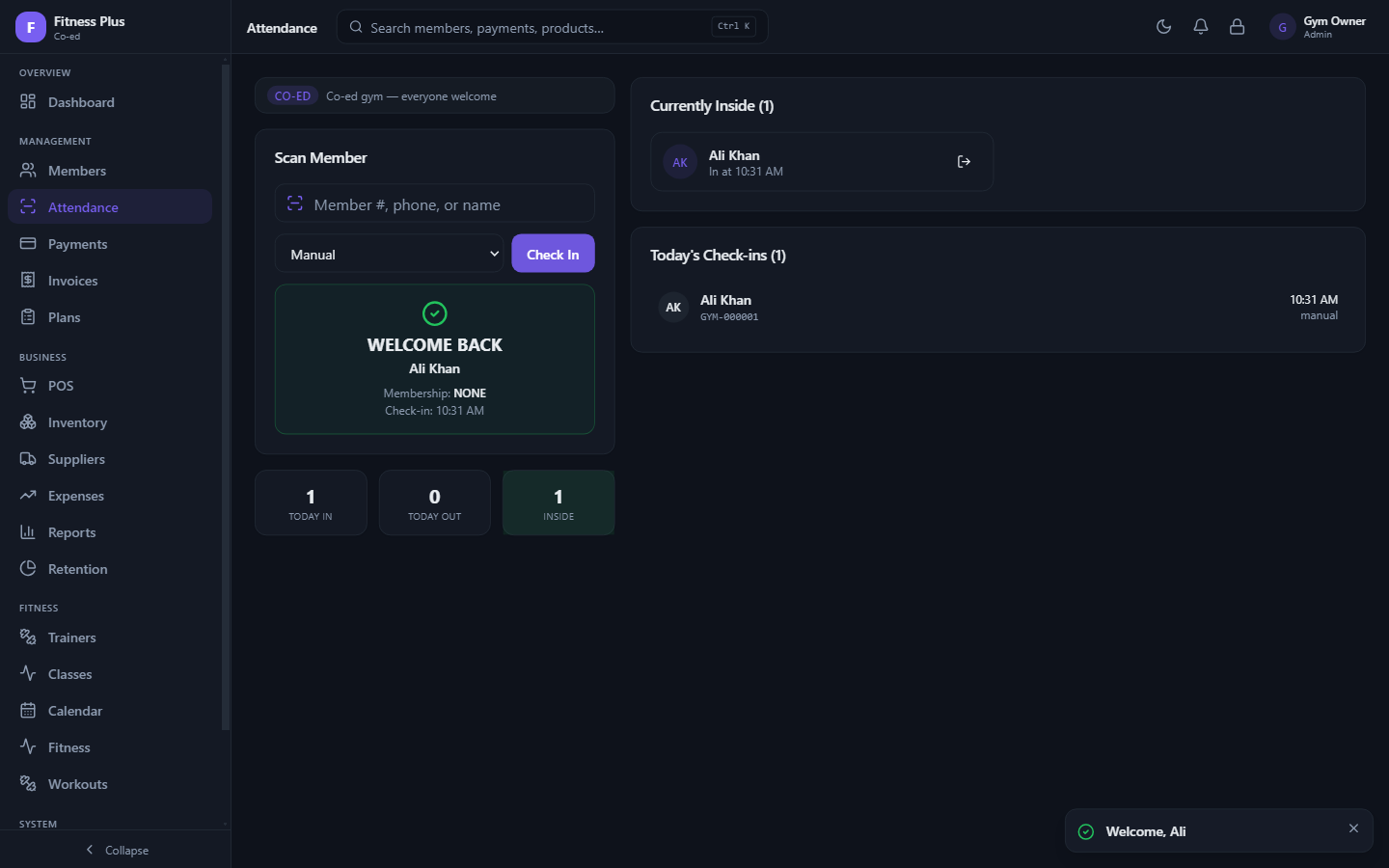
The primary interface for front-desk staff. Search members by auto-generated Member ID, phone number, or name with real-time autocompletion. Successful check-ins instantly verify active membership status, display remaining days or expiry warnings, and move the member into the "Currently Inside" list.
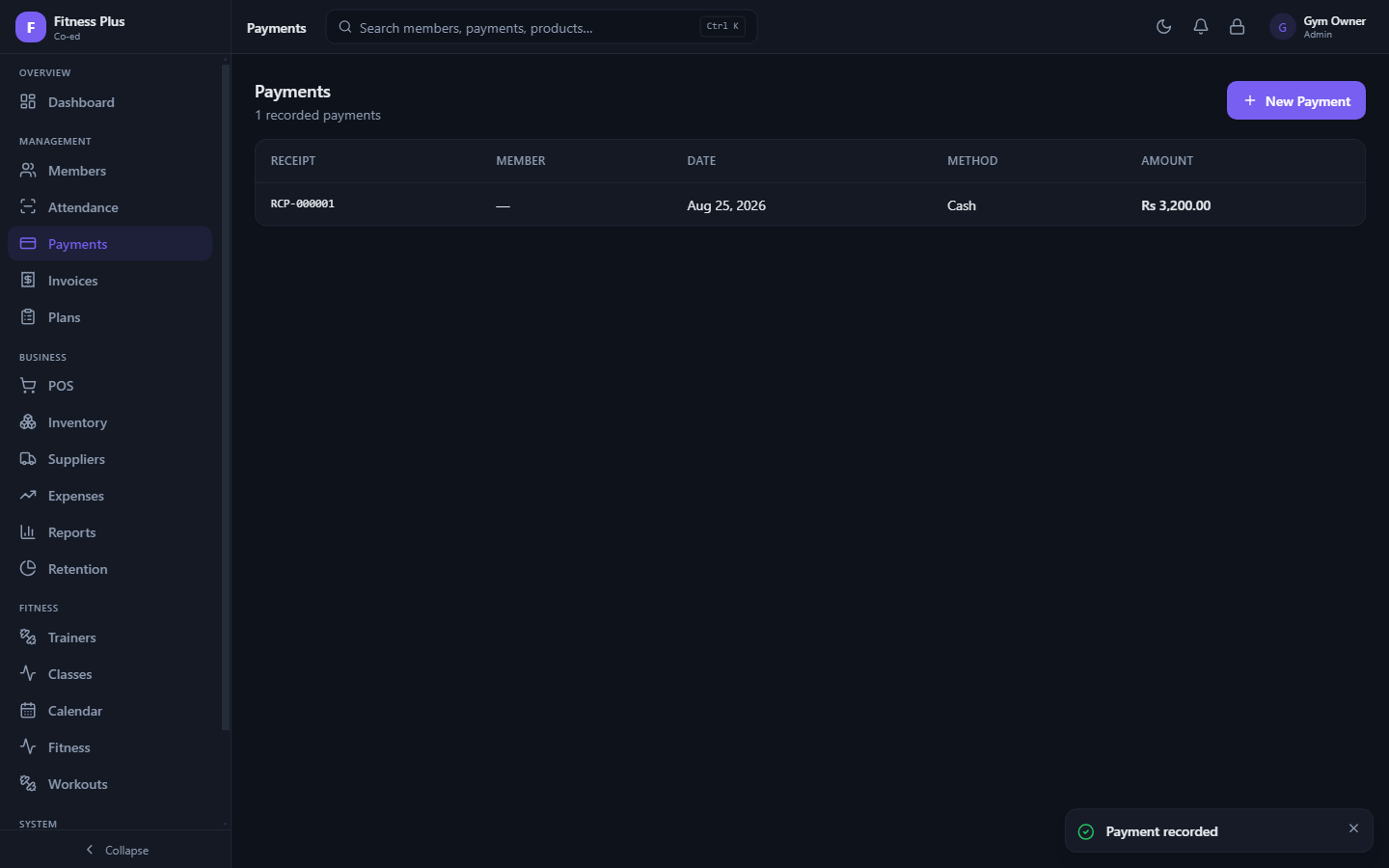
Payments & Receipting
Record incoming cash, card, or bank transfer payments for memberships, session passes, or retail items. Every recorded transaction generates a unique, sequential local receipt number for transparent bookkeeping.
Point of Sale (POS)
Run an active front-counter cash register. Sell products, supplements, personal training sessions, and walk-in passes. The built-in till mechanism logs opening floats, registers sales, and maintains strict cash-drawer discipline.
Inventory & Suppliers
Track retail stock levels, categorize items, set up low-stock thresholds, and log product consumption. Maintain a directory of wholesale suppliers to streamline inventory procurement and shelf replenishment.
Trainers, Classes & Workouts
Maintain trainer profiles, assign staff to specific members, schedule group fitness classes, and coordinate appointments on a central shared calendar. Track member fitness metrics and assign custom workout routines directly within their profile.
Retention & Business Analytics
Analyze facility trends to reduce churn. The Retention tool highlights expiring memberships, inactive profiles, and follow-up opportunities. Comprehensive Reports aggregate revenue, attendance trends, and expense logs into clear analytics for strategic decision-making.
Security, Audit Logs & Local Backups
Manage user access with hashed local authentication via scrypt. A tamper-evident local audit log records critical staff actions, voided transactions, and system edits. Create single-click offline backups of your entire local database through the Settings panel.
Getting Started Walkthrough
Follow these simple steps after downloading POS Software for Windows to set up your gym workspace and run daily operations:
| Step | Screen / Module | Action Required |
|---|---|---|
| 01 | Account Setup | Launch the app and create the primary owner/admin profile. Passwords are encrypted and hashed locally on your device. |
| 02 | Confirm Setup | Verify account details and finalize setup to unlock your main workspace. |
| 03 | Gym Profile | Configure facility parameters: business name, access policies, preferred currency (e.g., PKR / Rs.), and Member ID prefix. |
| 04 | Dashboard | View real-time operations, daily attendance counters, revenue totals, and automated expiry warnings. |
| 05 | Plan Configuration | Navigate to Plans and click Create to define packages with custom durations, pricing, and freeze allowances. |
| 06 | Member Registration | Open Members, click Add Member, and input contact details to generate an automatic local Member ID. |
| 07 | Attendance Check-In | On the Attendance screen, type a member's ID or name to verify status and log entry into the facility. |
| 08 | Process Payments | Search the member in Payments, record dues settled via cash or card, and issue a local payment receipt. |
| 09 | Counter Sales & Inventory | Use the POS tab to register sales for supplements or merchandise, updating inventory counts automatically. |
| 10 | Reports & Backup | Review financial and attendance charts under Reports. Go to Settings → Backup to export your local database. |
Need Customization, Source Code, or Setup Support?
Need assistance deploying the software, setting up receipt printers, requesting custom module integrations, or obtaining full source code access? Contact us directly:
- 📧 Email: shehzadmunir.dev@gmail.com
- 📞 Phone: +92 324 0671597
Stay ahead of the curve.
This insight was curated by ToolNova. We explore the intersections of efficiency and technology so you don't have to.